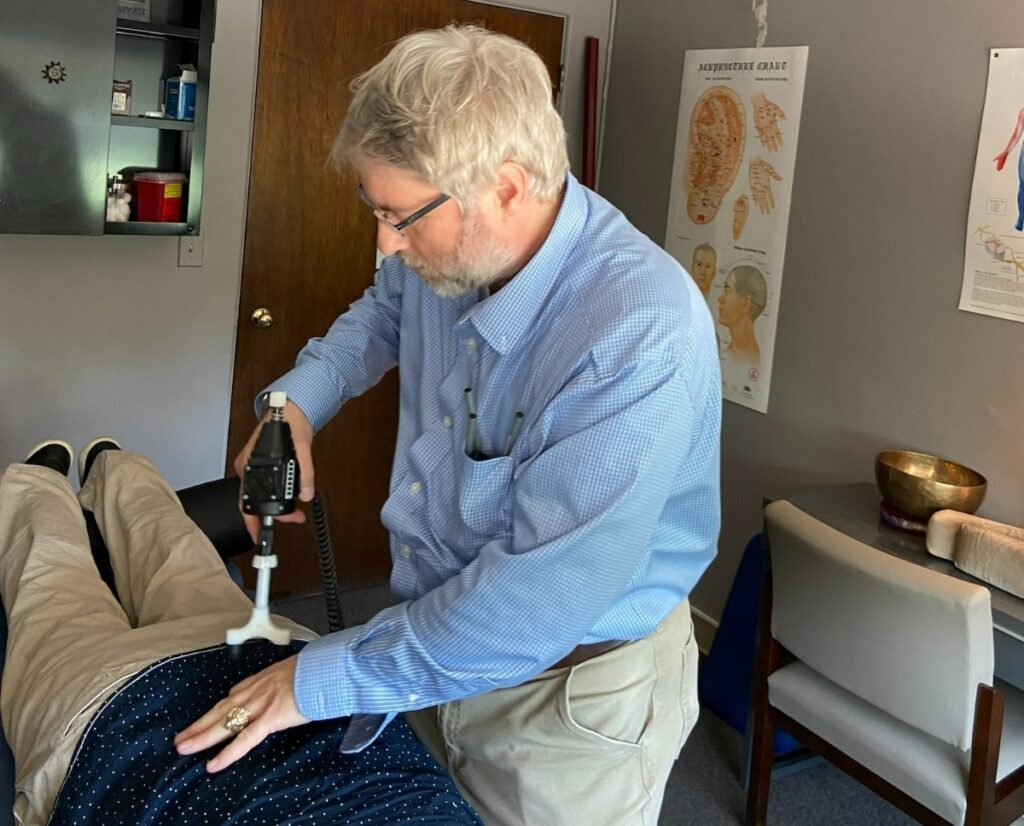

If you spend hours at a desk, you might be experiencing strain on your posture, which can lead to discomfort and even pain. As a chiropractor, I understand the importance of maintaining a healthy spine and overall wellness. Fortunately, there are several natural strategies you can adopt to improve your posture, enhance your comfort, and boost your productivity without resorting to medications or surgeries.
- Adjust Your Chair Height: Ensure that your chair is at the right height so that your feet rest flat on the ground, and your knees are at a 90-degree angle. This helps keep your spine aligned and reduces strain.
- Use an Ergonomic Keyboard: An ergonomic keyboard can help keep your wrists and hands in a natural position, reducing tension in your neck and shoulders. This small change can make a big difference in your overall comfort.
- Incorporate a Standing Desk: Alternating between sitting and standing can relieve pressure on your spine. A standing desk allows you to shift your posture throughout the day, promoting better spinal alignment.
- Strengthen Your Core: A strong core supports your spine and helps maintain good posture. Incorporate simple exercises, like planks or bridges, into your routine to build core strength.
- Take Frequent Breaks: Set a timer to remind yourself to take short breaks every hour. Stand up, stretch, and walk around. This helps prevent stiffness and encourages better blood flow.
- Practice Good Posture: Be mindful of your posture while sitting. Keep your shoulders relaxed and your back straight. Use a lumbar support pillow if needed to encourage the natural curve of your spine.
- Consult with a Chiropractor: Regular chiropractic adjustments can help keep your spine aligned, alleviate pain, and promote overall wellness. A chiropractor can provide personalized advice and exercises tailored to your specific needs.
By implementing these strategies, you can create a healthier workspace that promotes better posture and well-being. Remember, chiropractic care is an excellent choice for achieving optimal health and relieving discomfort naturally. Prioritize your spine and overall health today!
Key Takeaways
As a local chiropractor, I want to share some valuable tips to help you address common posture issues associated with desk jobs. Maintaining proper posture is essential for spinal health and overall well-being, and chiropractic care is a natural way to achieve this. Here are some simple strategies to improve your desk setup and support your spine:
- Chair Height Adjustment: Ensure your chair is set so that your feet rest flat on the floor and your knees are level with your hips. This adjustment promotes proper spinal alignment and helps prevent discomfort.
- Monitor Positioning: Place your monitor at eye level and at least an arm’s length away from you. This helps reduce neck strain and encourages a relaxed posture, making it easier to focus on your work without discomfort.
- Ergonomic Tools: Use an ergonomic keyboard and mouse to allow for a more natural hand position while you work. This can help minimize wrist strain, especially during those long hours at the computer.
- Regular Breaks: Take breaks every 30 to 60 minutes to stand, stretch, and hydrate. This not only enhances circulation but also relieves tension that can build up from prolonged sitting. Remember, movement is key to a healthy spine.
- Core Strengthening: Incorporate core-strengthening exercises into your daily routine. A strong core supports your spine and improves overall posture, making it easier for your body to maintain alignment throughout the day.
By integrating these simple practices into your work routine, you can significantly improve your posture and overall health. Remember that chiropractic care is an excellent option for natural relief from discomfort and to help maintain optimal spinal health. If you’re experiencing persistent pain or discomfort, don’t hesitate to reach out for a chiropractic consultation. Your spine will thank you!
Adjust Your Chair Height
Adjusting your chair height is one of the easiest yet most powerful ways to enhance your desk posture and promote spinal health. When your chair is at the ideal height, your feet should rest flat on the floor, and your knees should be level or slightly below your hips. This ergonomic position not only helps distribute your weight evenly but also reduces strain on your lower back, which is crucial for maintaining a healthy spine.
To find the perfect chair height, sit up straight and adjust your chair until your elbows create a 90-degree angle when your hands are on the keyboard. If your chair doesn’t have the right height adjustments, consider using a footrest to ensure your feet are well supported.
It’s a good idea to regularly check your chair’s height, especially if you share your workspace with others. Small adjustments can significantly impact how your body feels during the day. By ensuring your chair is set correctly, you’re taking an essential step toward better posture, which is important for overall wellness.
Remember, maintaining proper posture is just one piece of the puzzle when it comes to spinal health. Regular chiropractic care can further enhance your well-being by addressing any misalignments and promoting natural healing throughout your body.
Use an Ergonomic Keyboard and Mouse
As a local chiropractor, I want to emphasize the importance of using an ergonomic keyboard and mouse for your overall health and well-being. The right equipment can significantly enhance your comfort and productivity, while also reducing strain on your wrists and hands. This is crucial because improper ergonomics can lead to discomfort and pain, which may require chiropractic care for relief.
By investing in an ergonomic keyboard and mouse, you’re taking a proactive step towards avoiding repetitive strain injuries and promoting a healthier workspace. Here are some key benefits of ergonomics that can greatly impact your spinal health:
- Reduced Strain: Ergonomic devices are designed to fit the natural position of your hands and wrists, which helps minimize unnecessary strain. This can lead to fewer visits to your chiropractor for adjustments related to pain caused by poor posture.
- Improved Posture: When your hands are in a more natural position, it encourages better overall posture. Maintaining a healthy posture is essential for spinal health and can prevent long-term issues.
- Increased Comfort: Ergonomic keyboards and mice often provide better support and cushioning, making your work experience more comfortable. This comfort can lead to increased productivity and less fatigue throughout your day.
To make the most out of your ergonomic setup, consider these tips:
- Positioning: Ensure your keyboard and mouse are at elbow height. Your elbows should be at a 90-degree angle to reduce strain on your wrists.
- Take Breaks: Regular breaks are essential. Stand up, stretch, and move around every hour to promote blood circulation and reduce tension in your body.
- Desk Setup: Your monitor should be at eye level to avoid neck strain. Keep your feet flat on the floor and your back supported by a chair that promotes good posture.
Remember, while ergonomic tools can help, they work best in conjunction with regular chiropractic care. Chiropractic adjustments can address any misalignments caused by poor posture and repetitive movements, ensuring your body functions at its best.
Key Benefits of Ergonomics
As a chiropractor, I understand how crucial your workspace setup is for your overall health and wellness. Using ergonomic keyboards and mice can significantly enhance your comfort while you work and help prevent pain associated with poor posture and repetitive strain.
Here are some key benefits of incorporating these tools into your daily routine:
- Reduced Strain: Ergonomic keyboards and mice are designed to minimize strain on your wrists and hands. This is essential for avoiding repetitive stress injuries that can lead to chronic pain. By keeping your wrists in a more natural position, you can reduce the risk of discomfort and injuries.
- Improved Posture: Using ergonomic devices encourages a more natural hand and arm position. This not only helps with comfort but also promotes better spinal alignment. Maintaining good posture while working can alleviate tension in your back and neck, making it easier to work without discomfort.
- Increased Efficiency: A comfortable workspace allows you to focus better on your tasks. When you’re not distracted by discomfort, you can work more efficiently and effectively. This can lead to a more productive day without the interruptions of pain or strain.
In addition to using ergonomic tools, here are some general tips for maintaining your spinal health while working:
- Take Regular Breaks: Stand up, stretch, and move around every 30-60 minutes to keep your body flexible and reduce tension.
- Adjust Your Workstation: Ensure your chair, desk, and computer monitor are at the right height to promote good posture.
- Stay Hydrated: Drinking enough water helps keep your muscles and joints healthy.
Investing in ergonomic keyboards and mice, along with these healthy habits, can significantly enhance your comfort and productivity.
Choosing the Right Equipment
Choosing the Right Equipment for Your Health
Selecting the right equipment for your workspace can greatly impact your comfort and overall well-being. As a chiropractor, I want to emphasize the importance of using ergonomic tools, such as a keyboard and mouse, to support a healthy posture, especially during those long hours at your desk.
These specially designed devices can help you maintain proper alignment and reduce strain on your body, ultimately preventing injuries and discomfort.
When you’re on the lookout for a keyboard, consider one that encourages a natural hand position, such as a split or tented design. This can help keep your wrists straight and reduce unnecessary tension.
For your mouse, choose an ergonomic shape that fits snugly in your hand. This will allow for smoother movements and minimize excessive bending of your wrist, which can lead to pain over time.
Investing in quality ergonomic equipment is just one step toward enhancing your posture and overall health. It’s essential to remember that while these tools can be beneficial, regular chiropractic adjustments can complement your efforts by ensuring your spine is aligned and functioning optimally.
This combination can significantly boost your efficiency, allowing you to stay focused and energized throughout the day.
Here are a few additional tips to help you create a healthier workspace:
- Take Regular Breaks: Stand up, stretch, or walk around every hour to keep your body moving and reduce tension.
- Maintain Good Posture: Sit all the way back in your chair with your feet flat on the floor and your monitor at eye level.
- Stay Hydrated: Drink plenty of water throughout the day to keep your body and mind sharp.
By making these simple adjustments and considering chiropractic care, you can pave the way for a healthier and more productive work environment.
Proper Setup Techniques
Creating a comfortable workspace is crucial for maintaining good health and wellness, especially when it comes to supporting your spine.
How you set up your workspace can make a significant difference in your overall comfort and posture. By using an ergonomic keyboard and mouse, you can help reduce strain on your body and promote a healthier lifestyle.
Here are three essential techniques to consider:
- Positioning: Ensure that your keyboard and mouse are positioned at elbow height. This allows your arms to rest at a 90-degree angle, which helps keep your wrists straight and reduces the risk of discomfort. Remember, proper positioning is vital for spinal health.
- Distance: Keep your keyboard and mouse close enough that you don’t need to reach for them. This helps minimize shoulder strain and promotes relaxation, allowing your body to remain in a more natural, comfortable state. A well-organized workspace can lead to a more productive day without unnecessary pain.
- Angle: Tilt your keyboard slightly away from you to encourage a more neutral wrist position. This simple adjustment can significantly reduce the risk of discomfort and support your overall spinal health. It’s all about finding the right balance to keep your body in alignment.
By implementing these tips, you can create a workspace that supports your health and wellness.
Remember, chiropractic care is an excellent option for addressing any discomfort you experience, helping to ensure that your spine stays healthy and aligned as you work.
Prioritize your health by setting up a workspace that promotes optimal posture and comfort!
Incorporate a Standing Desk
Incorporating a standing desk into your workspace can significantly enhance your health by minimizing the risks associated with prolonged sitting. As a local chiropractor, I emphasize that poor posture can lead to spinal misalignments, discomfort, and pain.
When you adjust your standing desk to the right height, it’s easier to maintain a natural, healthy posture throughout the day, which supports your spine and overall well-being.
Switching to a standing desk is a simple yet effective change that can lead to increased energy levels and productivity at work. Plus, standing more often helps to engage your core muscles, promoting better spinal alignment.
To make the most of your standing desk, here are a few tips:
- Desk Height: Ensure your desk is at elbow height when you stand. Your forearms should be parallel to the ground to prevent strain on your neck and shoulders.
- Footwear Matters: Wear supportive shoes to help reduce fatigue and pressure on your feet. Avoid standing in one place for too long; shift your weight between your feet to keep blood circulation flowing.
- Take Breaks: Incorporate short breaks throughout your day. Use this time to stretch or walk around. This not only helps relieve tension but also promotes spinal health.
- Stretch It Out: Simple stretches can help alleviate any discomfort caused by standing. Consider incorporating neck rolls, shoulder shrugs, and back stretches into your routine.
- Stay Hydrated: Drinking plenty of water encourages you to move more, as you’ll need to take breaks to refill your glass or visit the restroom.
Remember, chiropractic care is an excellent way to address any pain and discomfort that may arise from changes in your work routine. Regular adjustments can help ensure your spine is aligned and functioning optimally, which supports your overall health and vitality.
Embrace these changes and take proactive steps towards a healthier, more active lifestyle!
Health Benefits of Standing
As a local chiropractor, I often see patients who spend countless hours sitting at their desks, which can lead to a variety of health issues. One effective solution I recommend is incorporating a standing desk into your daily routine. Not only can this change enhance your comfort, but it also offers numerous health benefits that align with optimal spinal health:
- Improved Posture: Standing while you work helps promote better spinal alignment. This can significantly reduce the risk of developing back and neck pain, which are common complaints I see in my practice. Good posture is crucial for a healthy spine, and standing encourages a more upright position.
- Increased Energy: Many patients report feeling more energized when they switch to a standing desk. Standing can help improve blood circulation, which in turn can make you feel more alert and productive throughout your day. This increased energy can also lead to better focus, allowing you to tackle tasks more efficiently.
- Enhanced Mood: Standing more often has been shown to reduce feelings of anxiety and stress. A better mood can contribute to a more positive work environment and can make it easier to handle daily challenges. When you feel good physically, it often translates to improved mental well-being.
In addition to using a standing desk, I encourage my patients to take regular breaks to stretch and move around. This simple habit can further support your spine and overall health.
Remember, chiropractic care is an excellent way to maintain your spinal health and alleviate any discomfort you might experience. It complements a healthy lifestyle and can help you achieve your wellness goals naturally.
Embrace the transition to a standing desk, and consider regular chiropractic adjustments to keep your spine aligned and functioning optimally. Together, these practices can lead to a healthier, more engaged work life.
Adjusting Desk Height Properly
To truly harness the benefits of your standing desk, it’s vital to adjust its height in a way that supports your spine and overall well-being.
Begin by standing tall with your feet shoulder-width apart. Your elbows should rest comfortably at a 90-degree angle on the desk. This alignment is key to reducing strain on your shoulders and wrists, which can lead to discomfort and misalignments in your spine.
Position the top of your monitor at eye level to maintain a neutral neck position. This helps prevent unnecessary strain on your neck and upper back, areas that often suffer from poor desk ergonomics. If you start to feel discomfort, don’t hesitate to make adjustments—your body is signaling that something isn’t quite right.
Keep your feet flat on the floor or on a footrest to encourage proper posture. Shift your weight occasionally to avoid fatigue, as staying in one position for too long can lead to stiffness and pain.
Remember, these small adjustments not only enhance your posture but also help improve your productivity throughout the day.
As a chiropractor, I encourage you to listen to your body’s signals. If you experience persistent discomfort, consider seeking chiropractic care, which can provide natural relief and support your journey to optimal health.
Prioritizing your spinal health through proper desk setup and regular chiropractic adjustments can lead to a healthier, more comfortable lifestyle.
Practice Proper Monitor Placement
Proper monitor placement is crucial for creating a comfortable and healthy workspace, which in turn supports your spine and overall wellness.
As a chiropractor, I want to share how the way you position your monitor can help you maintain good posture and reduce discomfort. Here are some simple guidelines to follow:
- Eye Level: Set the top of your monitor screen at or just below eye level. This positioning keeps your neck in a neutral position, reducing strain and helping to prevent headaches or neck pain.
- Distance: Place your monitor about an arm’s length away from your eyes. This distance helps to minimize eye strain and allows you to read text comfortably without leaning forward, which can put unnecessary pressure on your spine.
- Tilt and Angle: Slightly tilt your screen backward (about 10-20 degrees). This tilt can help reduce glare and improve viewing comfort, allowing you to sit back and maintain a relaxed posture rather than hunching over your screen.
Remember, taking these simple steps can significantly contribute to your spinal health and overall well-being.
Proper monitor placement is just one way to create a healthier workspace, and incorporating chiropractic care into your routine can offer further support for achieving optimal health.
Take Regular Breaks and Stretch
Taking regular breaks and incorporating stretching into your daily routine is crucial for maintaining good posture and preventing discomfort, especially if you spend long hours at your desk. When you sit for extended periods, your muscles can become tense, which often leads to stiffness and pain.
To combat this, I recommend setting a timer to remind yourself to stand up and move around every 30 to 60 minutes. Even a quick five-minute walk can do wonders for your body and mind.
In addition to taking breaks, it’s important to add simple stretches into your routine. Stretching your arms overhead, rolling your shoulders, and gently twisting your torso can help relieve built-up tension and improve your mobility.
Don’t forget about your legs; they work hard during long periods of sitting and deserve some attention too. These small actions can boost circulation, refresh your mind, and ultimately support your overall well-being.
Chiropractic care can play a significant role in helping you achieve optimal health. Regular chiropractic adjustments can help address any misalignments in your spine that may result from poor posture or prolonged sitting.
When your spine is aligned, it supports better posture and reduces the risk of discomfort. Embracing chiropractic care as part of your wellness routine can lead to enhanced physical health and a more vibrant lifestyle.
Strengthen Core Muscles
While sitting at your desk for long periods, it’s easy to forget about your core muscles. However, strengthening these muscles is crucial for maintaining good posture and reducing the risk of back pain, which can be a common issue for many.
A strong core provides essential support for your spine, helping you sit up straight and comfortably throughout the day. Here are three effective exercises you can easily incorporate into your daily routine to help strengthen your core and promote overall wellness:
- Planks: Start by holding a plank position for 30 seconds to a minute. This exercise engages your entire core, promoting stability and helping to alleviate strain on your back. It’s a great way to build a strong foundation for your spinal health.
- Russian Twists: Sit on the floor, lean back slightly, and twist your torso side to side while holding a weight or even a water bottle. This movement strengthens your obliques, which are important for rotational stability and can help you maintain better posture throughout the day.
- Bridges: Lie on your back with your knees bent and feet flat on the floor. Lift your hips towards the ceiling, hold for a few seconds, and then lower back down. This exercise targets your lower back and glutes, which are vital areas for supporting your spine and preventing discomfort.
In addition to these exercises, remember that regular chiropractic adjustments can greatly enhance your overall spinal health and help alleviate any existing pain.
Chiropractic care focuses on natural healing and can support you in achieving optimal wellness. Incorporating simple lifestyle changes, such as taking breaks to stretch or practicing good ergonomics at your desk, can also make a significant difference in your health.
Always listen to your body and consult with your chiropractor for personalized advice on maintaining a strong core and a healthy spine.
Be Mindful of Your Posture
Be Mindful of Your Posture
Maintaining good posture is crucial for your overall health, especially during those long hours spent at your desk. By being mindful of how you sit, you can prevent strain and discomfort, which are common issues that many people face. As a chiropractor, I often see the impact of poor posture on spinal health, and I encourage you to take proactive steps towards better alignment.
Start by adjusting your chair height so that your feet rest flat on the floor. Your back should be straight, and your shoulders should be relaxed—this will help you avoid slouching, which can lead to pain over time.
Here are some helpful reminders to keep you aware of your posture throughout the day:
| Reminder | Action |
|---|---|
| Check your alignment | Make sure your ears are in line with your shoulders and hips. This alignment is vital for spinal health. |
| Take breaks | Stand up and stretch every hour. This helps to relieve tension and keeps your spine flexible. |
| Use ergonomic tools | Invest in a supportive chair and desk. Ergonomic tools can help you maintain good posture effortlessly. |
| Adjust your screen | Position your monitor at eye level to prevent neck strain. A proper screen height can make a significant difference. |
Chiropractic care is an excellent way to support your journey towards optimal health. Regular adjustments can help maintain proper alignment and alleviate discomfort caused by poor posture. Remember, taking small steps every day can lead to significant improvements in your overall well-being. Embrace these tips and feel the difference in how your body responds!
Conclusion
By incorporating these top seven solutions into your daily routine, you can significantly enhance your posture and overall comfort while working at your desk. First and foremost, adjusting your chair height is crucial; your feet should rest flat on the ground, and your knees should be at a right angle. Utilizing ergonomic equipment, such as a supportive chair and keyboard, can further promote proper spinal alignment.
It’s important to remember to take regular breaks throughout your day. Stand up, stretch, and move around to alleviate tension and reduce strain on your muscles and joints. Additionally, focusing on strengthening your core muscles will provide better support for your spine, helping to maintain good posture.
Keep yourself mindful of your posture by checking in with your body throughout the day. Are your shoulders relaxed? Is your back straight? Small adjustments can make a significant difference.
Chiropractic care is an excellent way to ensure your spine remains healthy and aligned. Regular visits can help address any pain or discomfort you may experience, allowing your body to function optimally. With these strategies, you’ll not only feel better but also enhance your productivity and overall well-being, embracing a healthier lifestyle. Remember, taking care of your spine is essential for long-term wellness!