

Chiropractic Tips for Desk Workers in Lisle: Ergonomics, Movement, and Pain Relief
Most of us weren’t designed to sit for eight to ten hours every day, yet that’s the reality for many desk workers here in Lisle and along the I-88 corridor. If you’ve noticed more neck stiffness, tight hips, or nagging low back pain since working at a computer, you’re not imagining it. At Northstar Integrated Health & Physical Medicine Center, we see how prolonged sitting affects posture, joints, and energy levels. The good news: with the right plan, you can feel better and work comfortably—without guessing or pushing through pain.
What is the “sitting epidemic”? It’s the modern pattern of spending most waking hours seated. Long periods in a chair can lead to stiffness, muscle imbalances, and back or neck pain—especially when physical activity is limited. Small, consistent changes and the right care can make a big difference.
Table of Contents
Why Sitting All Day Matters for Spinal and Overall Health
Sitting itself isn’t “bad.” The issue is staying in one position too long. Your spine is built to move. When you sit for hours, certain muscles overwork while others switch off. Joints become stiff, and the natural curves of your neck and low back may flatten or exaggerate. Over time, this can lead to discomfort, reduced mobility, and less energy at the end of the day.
Beyond aches and pains, research suggests a sedentary lifestyle is associated with broader health risks, especially when paired with low physical activity. For a big-picture view, organizations like the World Health Organization encourage regular movement throughout the day to support overall health and reduce the risks tied to inactivity (WHO: Physical Activity).
At our integrated clinic in Lisle, we focus on practical changes you can make right at your workstation, combined with targeted care to restore motion in the joints and balance the surrounding muscles.
The Biomechanics: What Happens When You Sit Too Long
Here’s a simple look at what’s going on under the surface when we settle into a chair for long stretches.
| Common desk-related issue | What’s happening in your body | How it often feels |
|---|---|---|
| Slouched posture | Thoracic spine rounds; low back curve reduces; core disengages | Aching between shoulder blades, low back stiffness |
| Forward head position | Neck joints compress; upper traps and suboccipitals overwork | Neck tightness, tension headaches, eye strain |
| Static sitting without breaks | Reduced blood flow; hip flexors shorten; glutes become inhibited | Hip tightness, hamstring strain, “heavy” or restless legs |
| Leaning to one side or crossing legs | Pelvis tilts; asymmetrical loading of spinal joints and SI joints | Uneven low back or hip pain, sometimes radiating discomfort |
| Monitor too low or keyboard too far | Neck flexion and shoulder protraction increase | Shoulder pinching, forearm tension, wrist fatigue |
None of these patterns mean you’re doing permanent damage. They’re signs your body wants variety and support. With the right adjustments and movement, your spine can feel and function better.
Common Mistakes Desk Workers Make
Changing your setup doesn’t have to be complicated. Still, there are a few recurring issues we see with Lisle office workers.
One is “posture perfectionism.” Trying to hold one “ideal” posture all day just creates a different kind of tension. Posture is dynamic. The goal is a comfortable, neutral starting point with frequent small movements.
Another common mistake is chasing a fancy chair or gadget without learning how to use it. A standing desk is great, but rotating between sitting and standing is what matters. Alternate positions, and keep your keyboard, mouse, and monitor in supportive positions in both modes.
Finally, many people stretch only when something hurts. Preventive micro-movements throughout the day help more than a single long stretch session at night. Short, frequent movement ‘snacks’ are your best friend.
How Chiropractic Care Fits In for Desk Workers
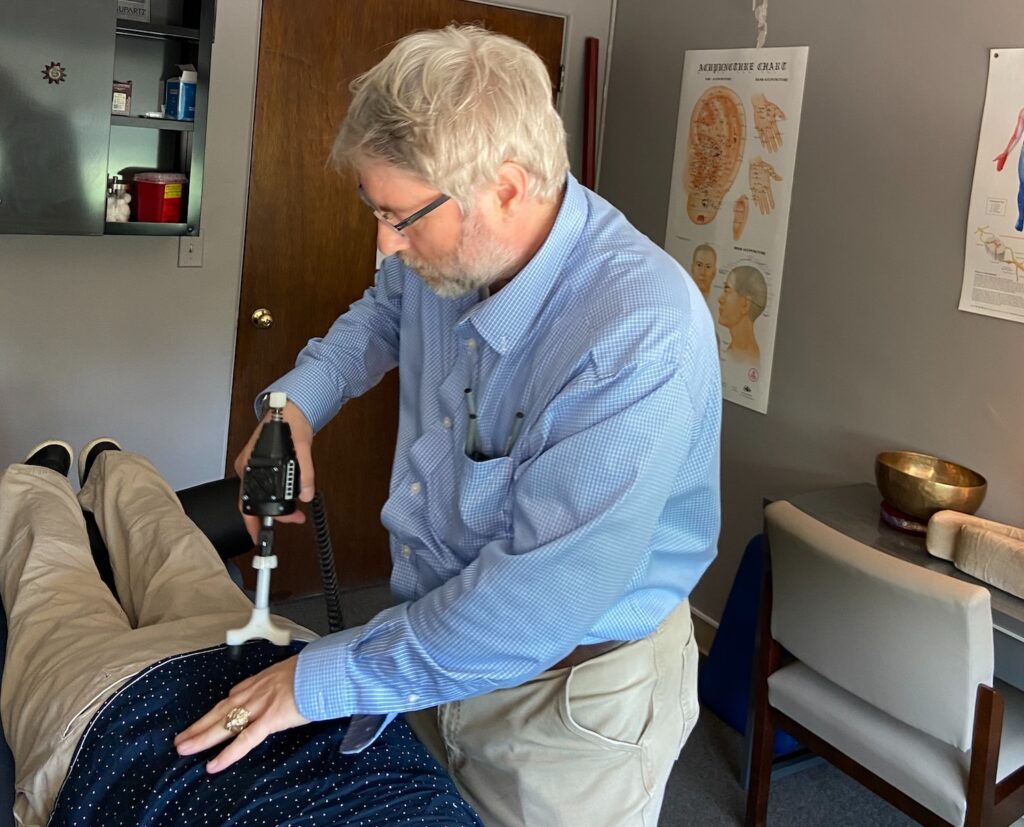
Chiropractic care is centered on restoring healthy motion to joints and helping the neuromuscular system work more efficiently. For desk workers, that often means easing stiffness in the neck, mid-back, and low back, and balancing tight and weak muscle groups so posture becomes easier and more natural.
Here’s how we commonly help at Northstar Integrated Health & Physical Medicine Center:
- Spinal adjustments and mobilization: Gentle, precise techniques help restricted joints move better, which can reduce irritation and improve flexibility. Many patients notice easier turning of the head, deeper breathing from improved rib motion, and less low back tightness. Evidence suggests spinal manipulation can help relieve low back pain as part of a conservative, non-drug approach (American College of Physicians Guideline; NCCIH).
- Soft-tissue care: Desk work often shortens the chest and hip flexors and overworks the upper trapezius and forearms. Myofascial techniques, instrument-assisted soft tissue work, and focused stretching can calm irritated areas and improve comfort.
- Corrective exercise: We teach simple, targeted exercises for the deep neck flexors, scapular stabilizers, core, and glutes. Better muscle balance supports your alignment and makes sitting and standing feel more natural.
- Ergonomic coaching: Small changes can make a big difference. We’ll help you dial in chair height, lumbar support, foot placement, monitor level, and keyboard/mouse setup in a way that suits your body and your job.
- Integrated care when helpful: As an integrated clinic, we coordinate conservative options like rehab exercises, therapeutic massage, and lifestyle guidance. If something needs medical evaluation, we’ll help you get to the right provider. Your plan is personalized and paced to your goals.
Our aim is not a quick crack-and-go. It’s a structured plan that blends hands-on care, movement, and education so you can work comfortably and stay active after hours—whether that’s walking the Prairie Path, coaching youth sports, or enjoying weekends around downtown Lisle.
Practical Desk Ergonomics and Movement Plan
Set yourself up for success with simple, reliable habits. You don’t need a complete office overhaul—just a few smart tweaks and consistent movement.
- Change positions often. Stand up, walk, or stretch for 1–3 minutes at least every 30 minutes. Use a timer or set calendar reminders.
- Neutral sitting. Hips slightly above knees, feet flat or on a footrest, gentle lumbar support, shoulders relaxed, elbows near your sides.
- Monitor and peripherals. Top of the screen near eye level, an arm’s length away. Keep keyboard and mouse close so your elbows stay around 90 degrees.
- Micro-movements. Every hour, do 5–10 reps each of chin tucks, shoulder blade squeezes, and gentle pelvic tilts. These activate supportive muscles without breaking your workflow.
- Alternate sitting and standing. If you have a sit-stand desk, rotate positions every 30–60 minutes. Use a supportive mat and keep the same ergonomic rules in standing.
- Open the front. Counter daily sitting with a brief chest opener in a doorway and a hip flexor stretch once or twice a day.
- Hydrate and breathe. Water breaks and a few slow nasal breaths reduce tension and nudge you to move.
These strategies are small but powerful. Layer them into your day, and you’ll likely notice less stiffness and more focus.
When to See a Chiropractor in Lisle
If you’ve made a few ergonomic changes and you’re still noticing pain or restriction, it may be time for a professional evaluation. Chiropractic care is appropriate for many types of desk-related neck, mid-back, and low back pain, as well as tension headaches and shoulder discomfort tied to posture. Seek care if pain lasts longer than 1–2 weeks, keeps returning, or limits your sleep, work, or exercise.
Certain symptoms call for a medical evaluation. If you notice any of the following, please seek urgent care or your medical provider right away:
- Severe, sudden pain after a fall or accident; fever with back pain
- Progressive weakness, numbness, or trouble walking
- Changes in bowel or bladder control, or numbness in the saddle area
- Chest pain, shortness of breath, or other symptoms that could indicate a non-musculoskeletal problem
Not sure where your symptoms fit? Give us a call. We’ll help you determine the best next step, whether that’s chiropractic care, a different conservative therapy, or a medical referral.
Myths vs. Facts About Sitting and Posture
- Myth: There’s one perfect posture you must hold all day. Fact: The best posture is your next one. Start from a neutral position and move often. Variety is protective.
- Myth: A standing desk automatically fixes back or neck pain. Fact: Standing still can stress your body too. The key is alternating positions and keeping good monitor/keyboard alignment.
- Myth: If I’m active after work, sitting all day doesn’t matter. Fact: Exercise is excellent, but long, unbroken sitting still creates stiffness and imbalances. Combine workouts with frequent movement breaks.
- Myth: Pain at the desk means something is seriously wrong. Fact: Most desk-related pain is mechanical and responds well to conservative care and smart ergonomics. When in doubt, get evaluated.
Final Thoughts for Our Lisle Community
Here in Lisle, we care for students, teachers, tech professionals, remote workers, and commuters from Naperville, Downers Grove, and beyond. We see the same pattern: when people learn a few simple ergonomic habits and receive individualized, hands-on care, workdays feel better and evenings get more active.
If you have questions about your setup, posture, or a nagging ache that keeps returning, our team at Northstar Integrated Health & Physical Medicine Center is here to help. We’ll meet you where you are and create a plan that fits your body and your job—without overcomplicating things.
FAQs
How often should I take breaks from sitting?
Aim to stand, walk, or stretch for 1–3 minutes at least every 30 minutes. Short, frequent breaks add up and are easier to maintain than long gaps between movements.
Are standing desks better than sitting?
They can help, but only if you alternate between sitting and standing. The real benefit comes from changing positions and keeping your workstation well-aligned in both modes.
Can chiropractic adjustments help “tech neck”?
They may help by improving joint motion in the neck and upper back and easing muscle tension. We pair adjustments with exercises and ergonomic coaching for lasting change.
What’s the best sitting posture?
Start neutral: hips slightly above knees, feet supported, gentle lumbar support, shoulders relaxed, and screen near eye level. Then change positions often throughout the day.
Is it safe to exercise if my back hurts from sitting?
Gentle activity like walking, light core work, and mobility exercises is usually helpful. Avoid movements that sharply increase pain, and seek an evaluation if symptoms persist.
How long does it take to feel better?
Many patients feel some relief within a few visits when combining care with ergonomic changes. Timelines vary based on your symptoms, daily habits, and activity level.
TL;DR
- Prolonged sitting creates stiffness and muscle imbalances—movement variety is the fix.
- Simple ergonomic tweaks and frequent micro-breaks reduce desk-related pain.
- Chiropractic care can help restore joint motion, ease tension, and support better posture.
- Seek care if pain lasts more than 1–2 weeks or limits work, sleep, or activity; watch for red flags.
- In Lisle, our integrated team supports you with practical, evidence-informed, personalized care.